unity · c# · versus
Blitz Ball
Gameplay Programmer · Level Designer · UI Programmer · Game Designer
Take on your friends in a 1-vs-1 soccer arena! Get tricky: bend your shots off the walls, or stun your opponent by slamming the ball right into them to open up an easy goal.
Hit, dash, pull and defend your net in a fast, competitive best-of-3, each round played to 5 points — seize the advantage and show them who's the best Blitzer of the two of you!
Under the hood
A versus arcade game where two players fight to score by making the ball bounce across the arena. Master the bounces and ball effects to curve your shots, fool your opponent and land the perfect goal.
System · Scene management
Level Manager
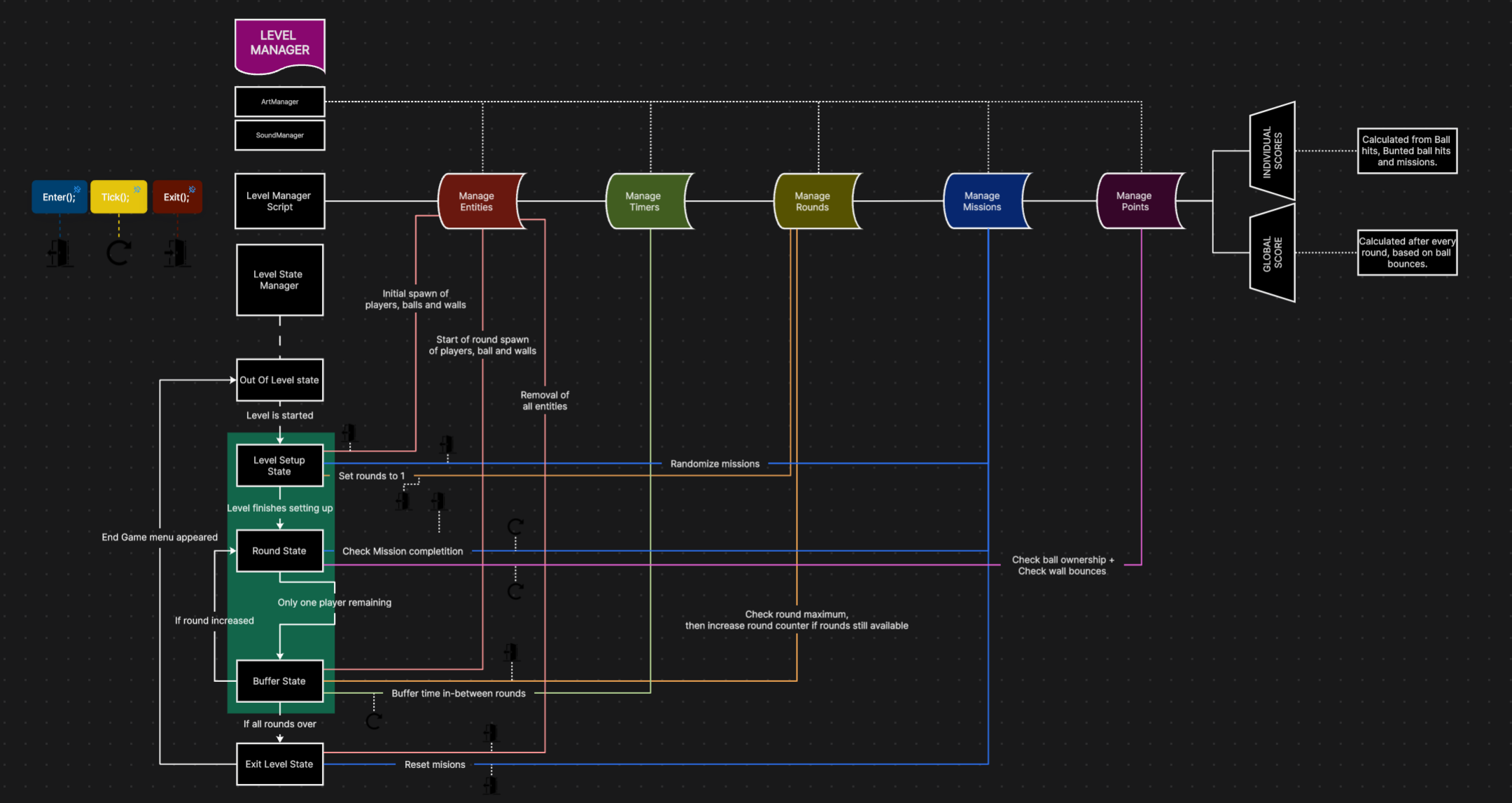
To keep level transitions clean, a single Level Manager drives every level from one shared setup — no per-scene reconfiguration.
- A container scene holds the shared objects (Level Manager, UI, floor, lighting) and auto-loads every level scene from the Start menu
- All levels are loaded then deactivated; only the current level's GameObjects are turned on, addressed by their Build Index
- Per-level goals are assigned through a math function: it sets each player's goalToDefend and goalToAttack, reversing the increments for odd player IDs so both always get one to attack and one to defend
- Each goal tracks the points it receives, giving a live read on match progress
System · Player data
Player-specific data management
Every player is a self-contained data entity the whole game reads from — the character on the field is just the visible tip of it.
- ID — uniquely identifies each player and drives paired logic (odd/even goal assignment, spawning…)
- Random colour — a colour assigned per player, carried across their cap and ball trail so ownership is instantly readable
- Linked gamepad — the controller bound to this player, kept across disconnects
- Goal — the goal to attack and the goal to defend for the current level
- State — the player's current action: stun, dashing, grabbing, hitting…
Input · Local multiplayer
Local multiplayer & multiplayer handling
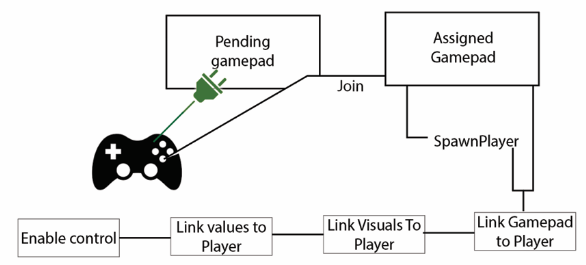
Controller pairing runs in three steps to reliably bind each gamepad to its player.
- On connection, a new gamepad is registered as a pendingController
- It is identified through Unity's GamePad HashSet to know which player it belongs to
- It is then linked to all its dependent objects — SpawnPlayer, values, visuals and control
- Because each controller is recorded in the HashSet, a reconnecting pad is recognised and re-assigned to the same player
See the code · MultiplayerManagerC#
// MultiplayerManager.cs — one player per connected gamepad
void Start()
{
    GamepadList = Gamepad.all.ToList();
    SpawnPlayersForGamepads();
}

public void SpawnPlayersForGamepads()
{
    foreach (Gamepad gamepad in GamepadList)
    {
        PlayerInput playerInput = PlayerInput.Instantiate(
            PlayerPrefab,
            controlScheme: "Gamepad",
            pairWithDevice: gamepad,      // this player only listens to this pad
            splitScreenIndex: -1
        );

        playerInput.gameObject.name = $"Base Player {playerInput.playerIndex}";

        PlayerScript playerScript = playerInput.GetComponent<PlayerScript>();
        if (playerScript != null)
        {
            GameManager.Instance.PlayerScriptList.Add(playerScript);

            int playerIndex = playerInput.playerIndex;
            GameManager.Instance.PlayerScriptDictionary[playerScript] = new PlayerData(gamepad, playerIndex);

            playerInput.SwitchCurrentControlScheme(gamepad);
        }
    }
}

// GameManager.cs — what the game remembers about each player
public Dictionary<PlayerScript, PlayerData> PlayerScriptDictionary = new Dictionary<PlayerScript, PlayerData>();

public struct PlayerData
{
    public Gamepad gamepad;
    public int userId;

    public PlayerData(Gamepad gamepad, int userId)
    {
        this.gamepad = gamepad;
        this.userId = userId;
    }
}
UI · Menus
Menu Start / Pause
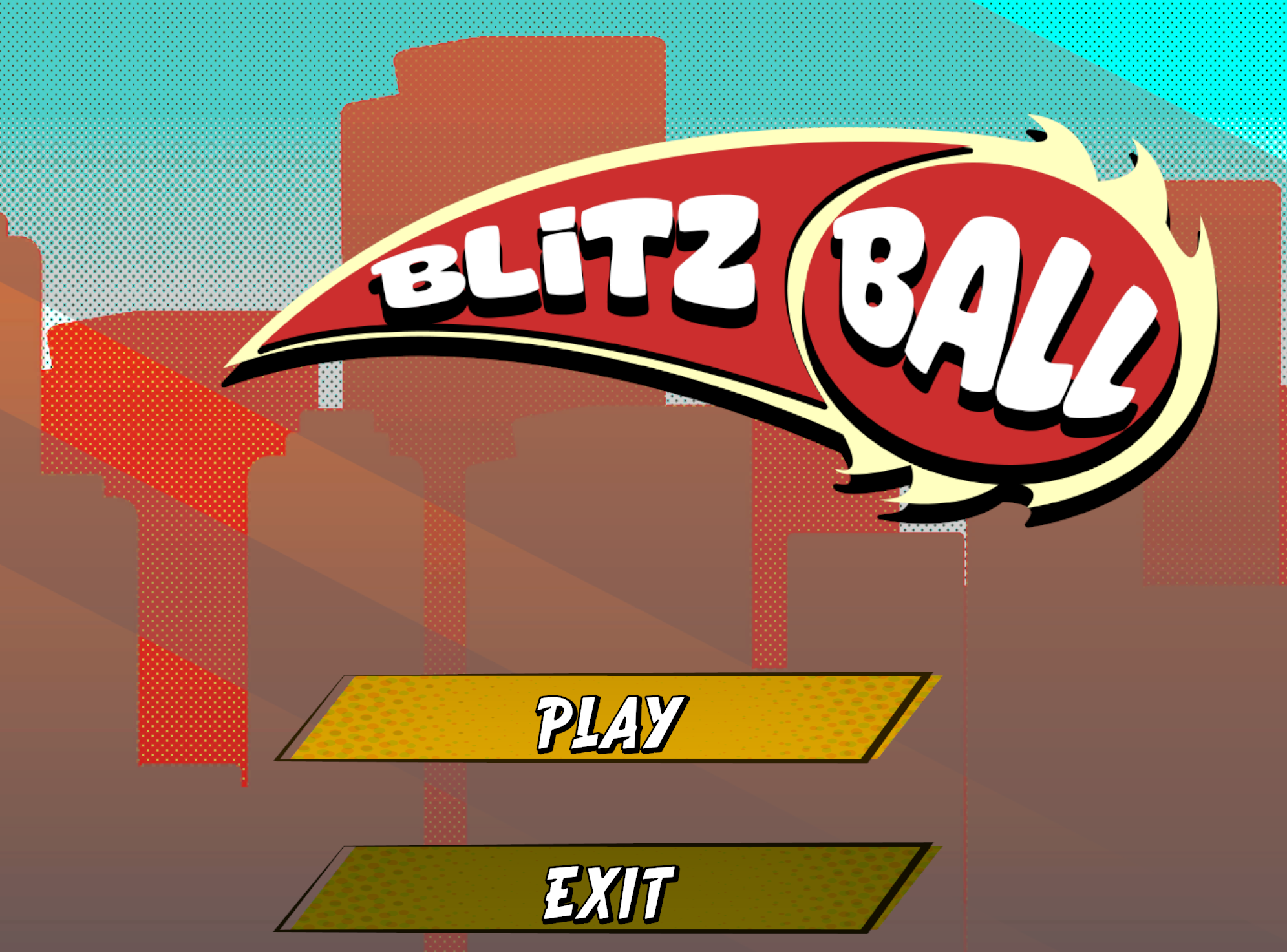
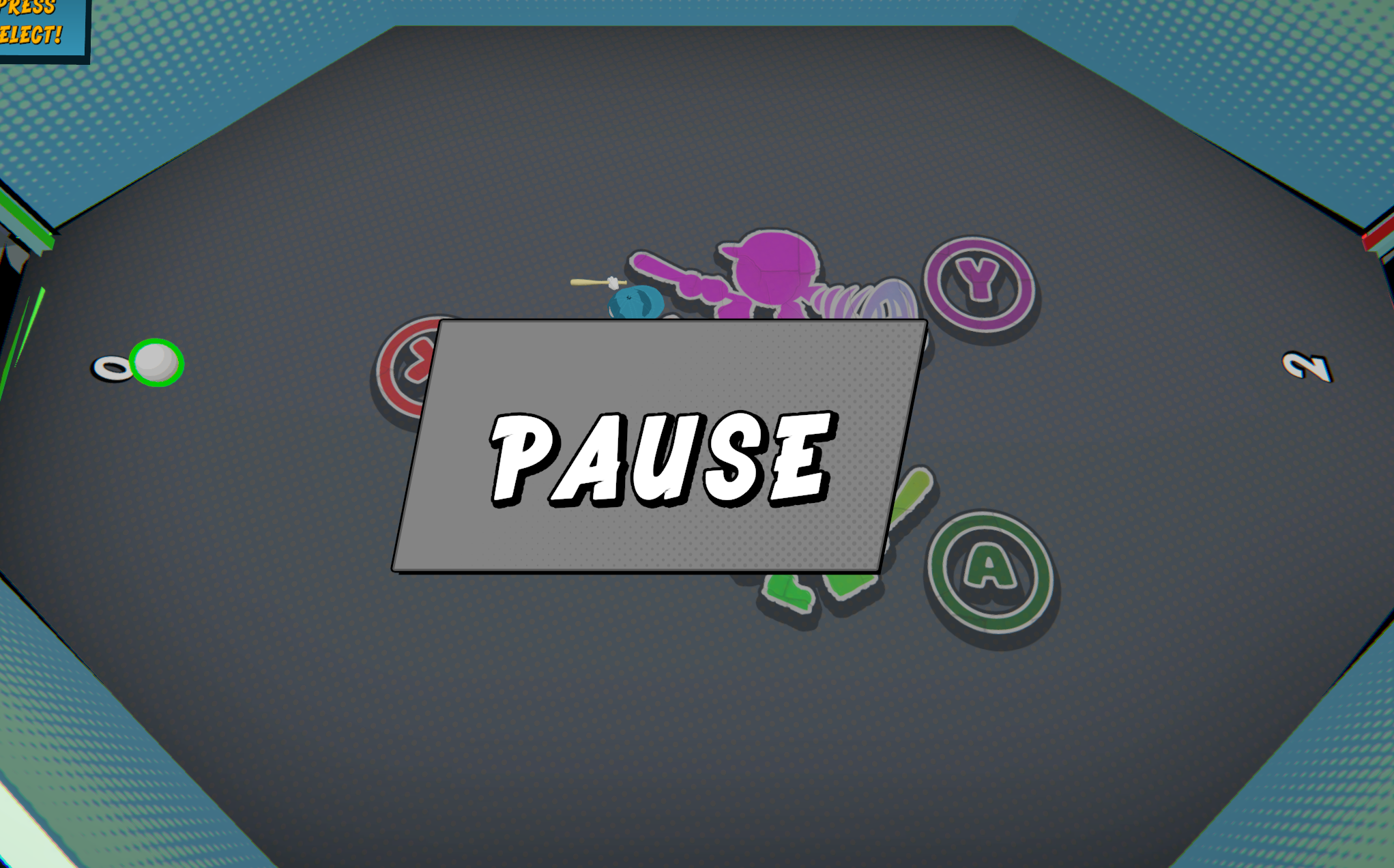
The everyday flow around a match — a start menu to launch or quit the game, and a pause overlay to freeze it mid-round.
- Start menu — Play to jump into a match, Exit to quit, fully controller-navigable
- Pause — freezes the game (time scale) and displays the overlay, resuming exactly where it left off
- Both wired to the Game State Machine so the game always knows whether it's in a menu, playing or paused
Game feel · Juice
Game feel effects
The game feel improves with the player's mastery of the controls and the evolving tempo of the round, gradually drawing the player into a deep flow state. In this context, the feeling of "playing well" becomes a challenge and a goal in itself.
- Screenshake on bounce — the camera kicks on impact to sell the ball's speed and power
- Confetti on goal — a burst of particles celebrates each score and punctuates the win
- Ball trail — the ball trails the colour of whoever hit it last, showing at a glance who owns it and to whom it's dangerous
Architecture · State machine
Game State Machine
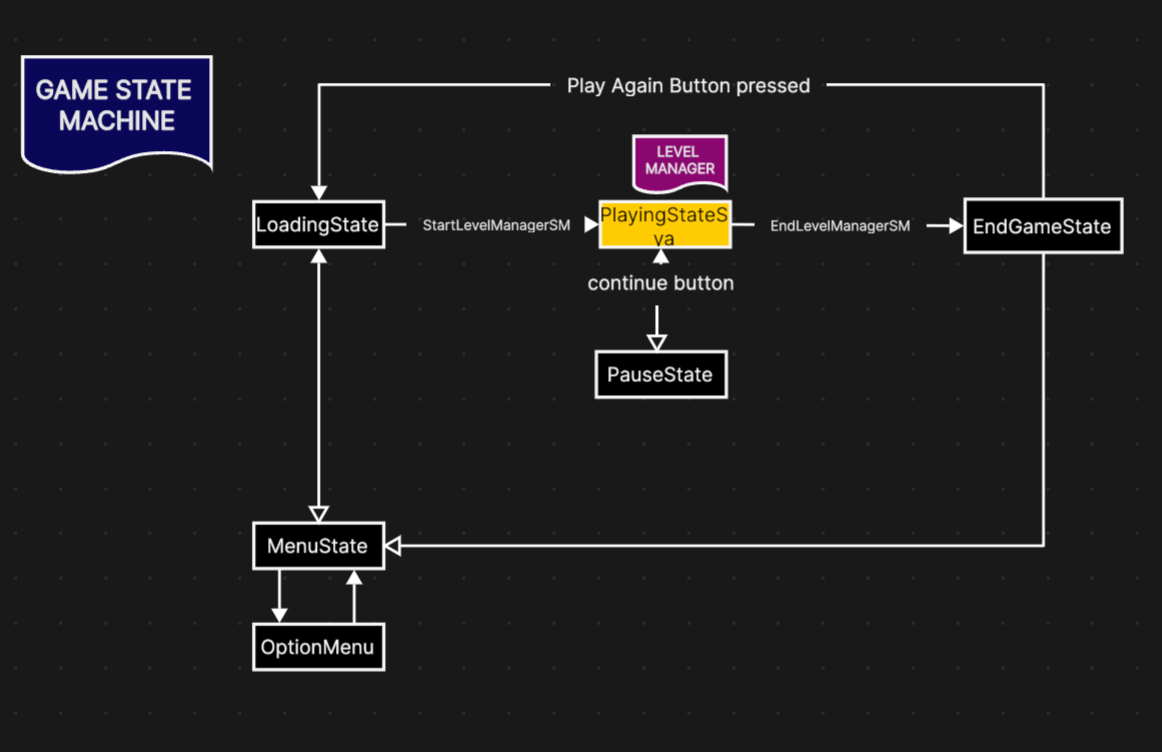
A single script that drives the whole game, always knowing exactly which state it is in — menus, loading, in-game, pause or end game.
- Each state (Menu, Loading, Playing, Pause, End Game) has its own dedicated script
- The state machine starts each one in the right order and at the right moment
- Acts as the backbone the rest of the game hangs off — including the Level Manager, launched during the Playing state
Building the arena
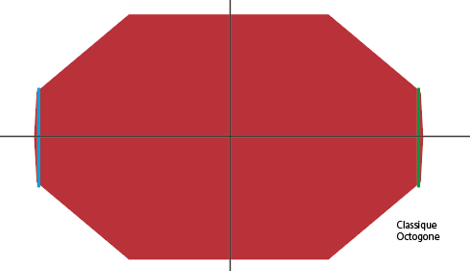
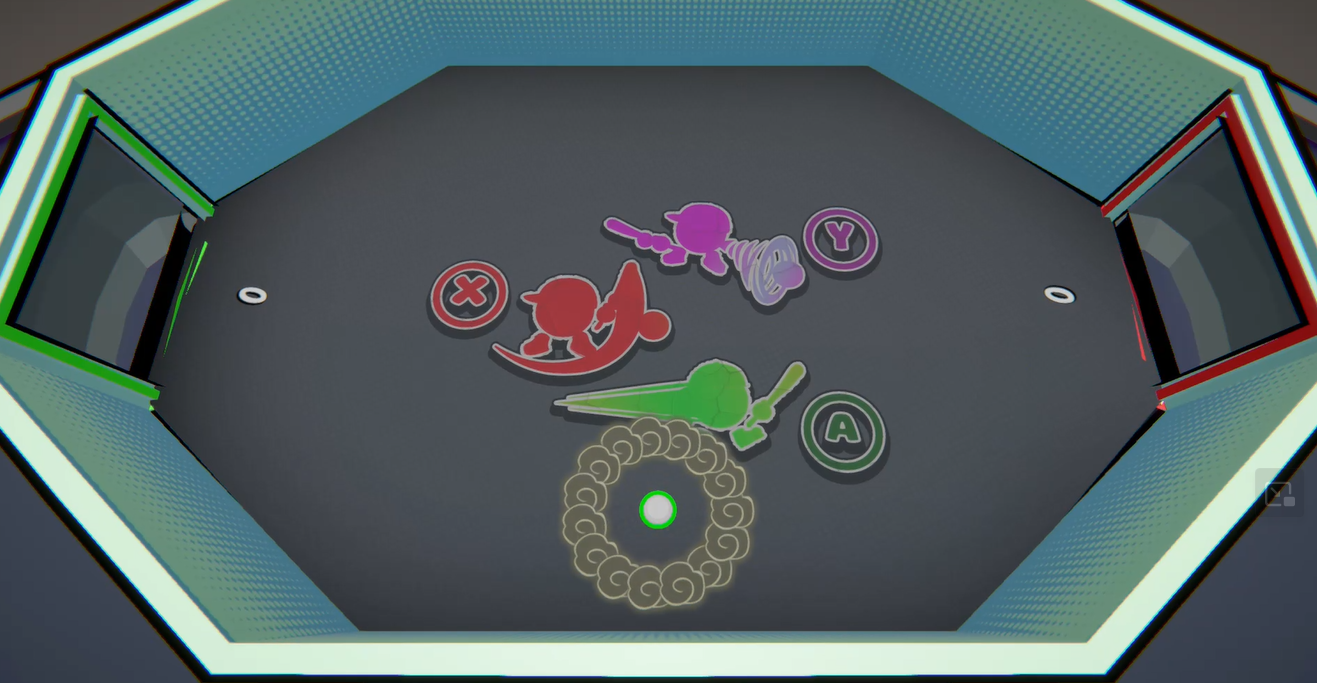
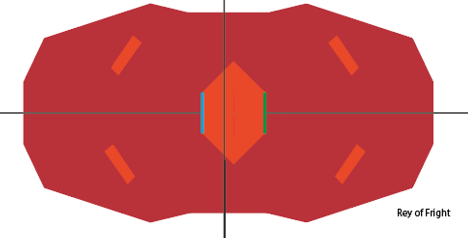
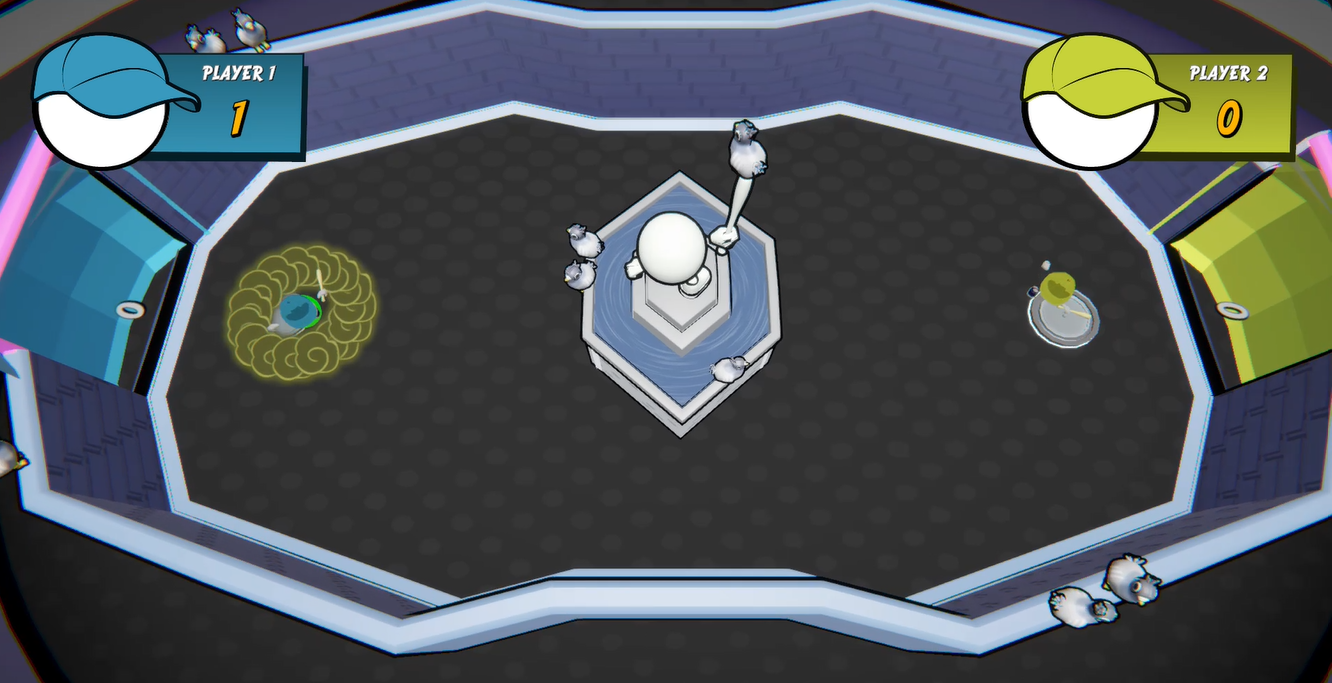
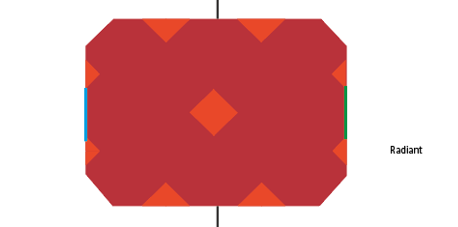
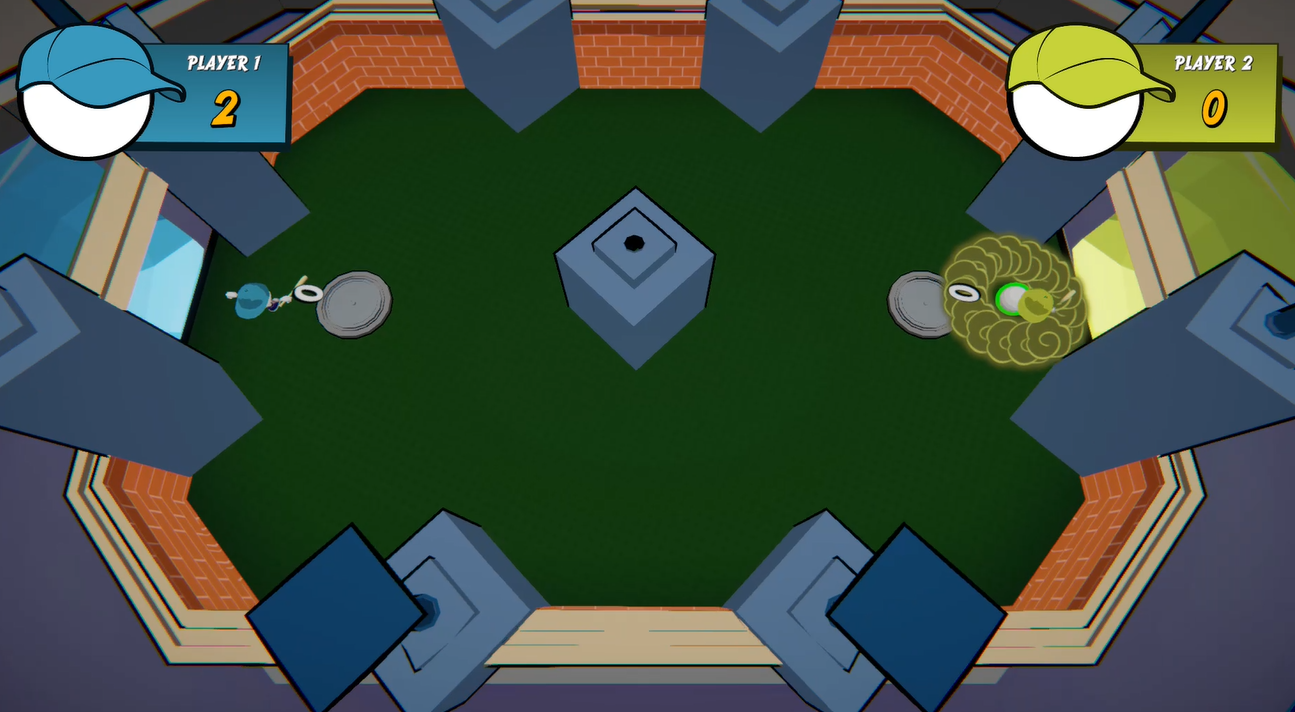
The arenas are the heart of the level design. I built each one as a blueprint first — walls, angles and goal placement — then integrated it in-engine. Placed schema next to final, the three levels show how the playfield grows from a clean symmetric shape to increasingly tricky geometry, giving the bounces more and more room to get vicious.
Level Design · Level 1
Classic Octagon
The starting arena — a clean, fully symmetric octagon with no obstacles, so players learn the bounces on a fair, readable field.
- Perfect symmetry: identical for both players, goals centred on each side
- No hazards — focus entirely on movement, hitting and reading rebounds
- Open shape with gentle wall angles keeps the ball predictable
Level Design · Level 2
Ray of Fright
Raises the stakes with a central hazard and angled deflectors that break the straight lines of the octagon.
- A central zone splits the field and forces players to play around it
- Four angled wall segments open up new bounce paths for trickier shots
- Still symmetric, but reading the ball now takes real anticipation
Level Design · Level 3
Radiant
The most technical arena — a wider, angular playfield lined with deflectors and cover, built for the sneakiest bounces.
- Saw-tooth walls and corner deflectors multiply the possible angles
- Central block and cover objects to bank shots around
- Rewards mastery: the richest space to land those "vicious" goals
Want to play it?
Grab a controller and a friend: Blitz Ball is played 1v1 on a shared screen.